For approvers & executives
Approve on the GoGet the Lender-Wise.com app on your phone, iPad and Laptop.
Approval requests reach you by email, SMS and push notification — and you can review and approve from the Lender-Wise.com app on your phone. It installs straight from your browser in a few seconds; there's nothing to download from an app store.
Then approve in two taps
Sign in once with MFA and turn on push notifications. When a product change needs your sign-off, the request reaches you wherever you are — and every decision is recorded in the append-only audit trail.
- Step 1
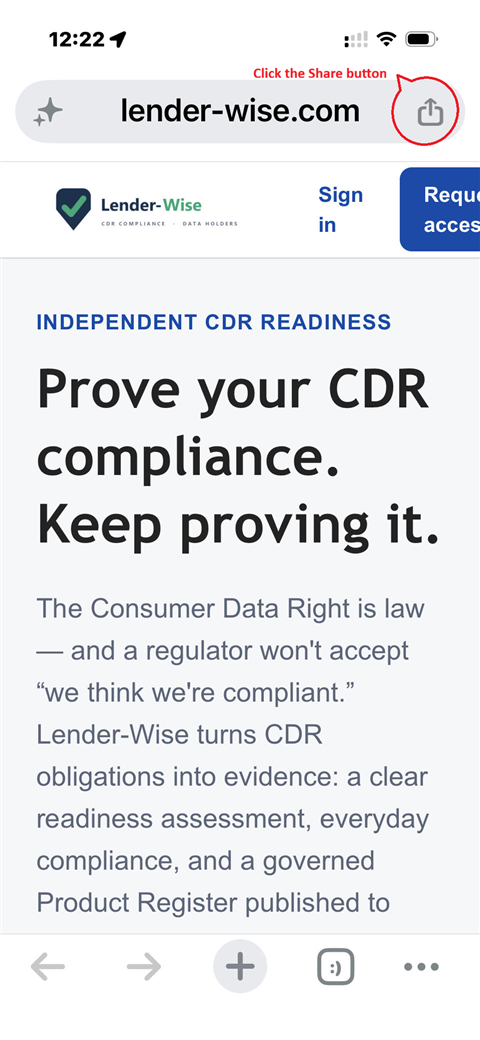
Open lender-wise.com and tap the Share button at the right of the address bar.
- Step 2
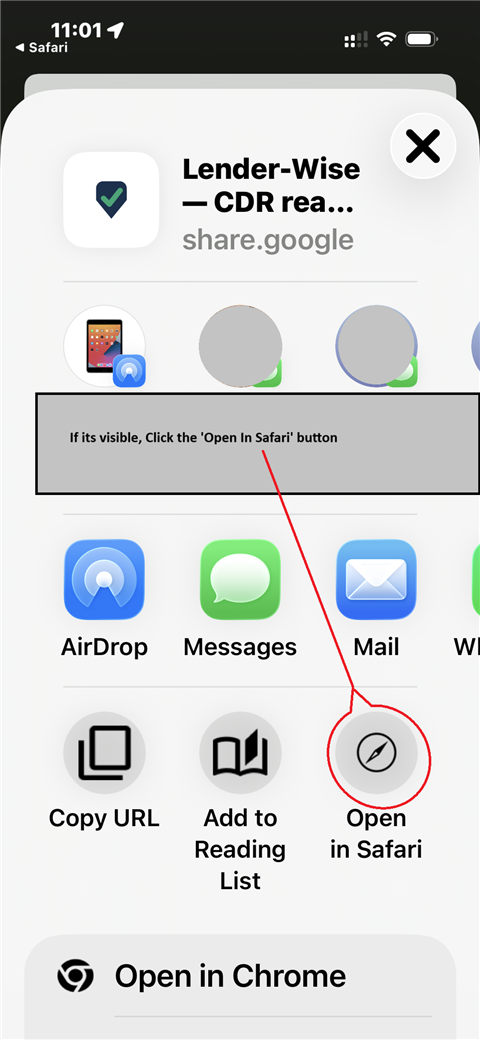
See “Open in Safari” on the sheet? Tap it first — you're inside another app's browser (search results and links from Mail or LinkedIn open there), and it hides the install option. Then tap Share again.
- Step 3
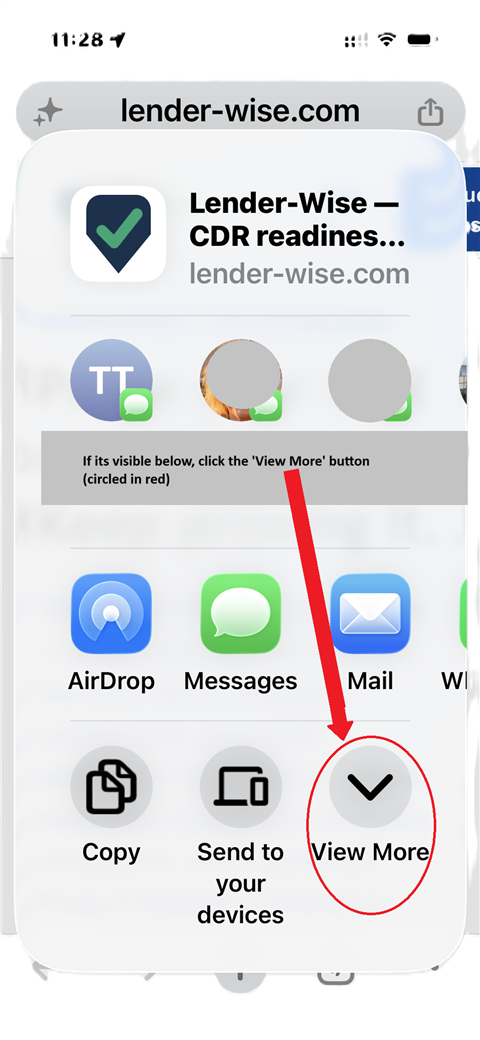
On the share sheet, tap “View More” if it's shown, then choose “Add to Home Screen”.
- Step 4
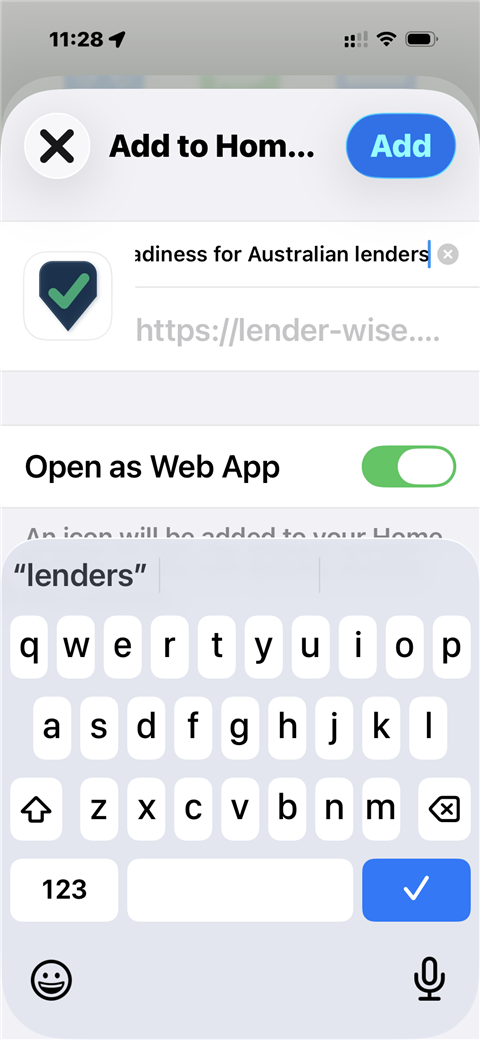
Leave “Open as Web App” switched on and tap Add. Lender-Wise.com appears alongside your other apps.
Can't see the install option?
You're probably inside another app's built-in browser — links from search results, Mail, Messages or LinkedIn often open there, and it hides “Add to Home Screen”. Tap “Open in Safari” (iPhone) or “Open in Chrome” (Android) from the share menu first — it's step 2 in the walkthrough above.
See it for your business.
Access is by invitation, with multi-factor authentication on every account.